Which thermostat and app are you handing over?
Identify the installed Nest model and the app used to manage it before planning the handoff. A familiar round thermostat face is not enough information to choose every step.
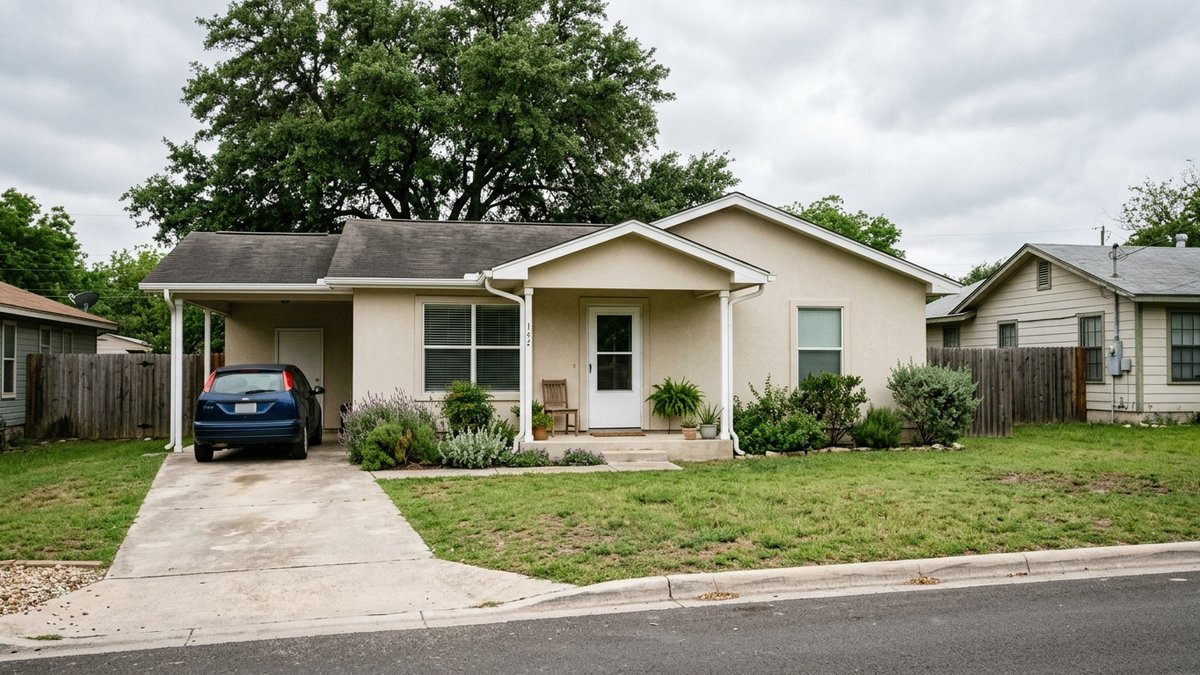
For your New Braunfels resale, start with a short equipment inventory. Write down the model you can verify, the room or zone it serves and whether you use Google Home or the Nest app. Keep the model’s current help page with the equipment information. For an older unit, check Google’s end-of-support guidance before assuming an app handoff is available. If the device cannot be managed in the app, use the manufacturer’s support route for that model rather than promising app access to the buyer. If there are several thermostats, identify each rather than assuming they are identical.
If one thermostat controls the main house and another serves a separate space, describe the actual arrangement as you can verify it. Give each device its own entry. You can then match the manufacturer’s instructions to the right model and confirm which device a support conversation concerns. This also prevents a successful handoff of one thermostat from being reported as completion for both.
Confirm what equipment and accessories are part of the agreed sale. Include any room sensors or control hardware in that conversation. Your own plan to leave something behind should match the transaction’s arrangement. Have the appropriate adviser resolve a disagreement about included equipment instead of using a setup guide to answer a contract question.
Separate the thermostat from the rest of your connected household. You may be taking a speaker, router or camera to the next home while leaving the thermostat. Google’s moving guide provides different directions for different products. Making an inventory first lets you work on the device that stays without casually deleting a wider setup you still use.
Keep the information useful to the next resident without including personal passwords. The model, location, current manufacturer instructions and available equipment manual are appropriate starting points. A screenshot containing private account information should not become an attachment to a broadly shared closing email.
Why is a restart different from an account handoff?
Google describes restarting as a troubleshooting action. Its settings page separates restart from reset, while its moving and removal guidance describes preparing equipment for another resident. For the handoff, follow the current model-specific moving instructions through account removal and setup instead of treating a completed restart as evidence that those steps are done.
Reset choices also vary by model. Google’s thermostat instructions distinguish the Nest Thermostat and fourth-generation Learning Thermostat from the Thermostat E and earlier Learning models. Some options concern schedules, network information or account connection. Use the current instructions for the identified model instead of repeating a remembered menu sequence from a different device.
Read the model-specific settings and reset instructions together. The settings guide identifies equipment information separately from personal schedules, while the reset guide explains which information an action changes. Bring uncertainty about equipment settings to a qualified HVAC professional. Identify the operation you intend to perform before touching an unfamiliar setting.
Separate information you want to preserve for the equipment professional from personal routines you do not want to leave behind. For example, the system configuration and your weekday temperature schedule have different purposes. Review the manufacturer’s directions with that distinction in mind. Have the professional explain any equipment setting you cannot identify, then follow the supported personal-information removal process for the device.
The practical question is whether you are removing an account connection or returning the thermostat to factory setup. Google’s reset and settings guides describe factory reset as restoring defaults, and the moving guide directs the next resident toward setup. A factory reset is not a completed setup for the buyer. Read the manufacturer’s sequence before starting. If the instructions do not match what appears on the installed device, contact support with the verified model information. A second random reset is a poor substitute for understanding which setup path applies.
An existing inspection question remains its own issue. Pete’s heat-pump inspection guide explains how to keep an untested mode distinct from an observed result. Clearing a personal schedule or removing an account does not supply the technical finding missing from an inspection.
What should you confirm before network service changes?
Confirm the model-specific removal steps, the resulting device state and the next resident’s setup plan before changing network service or losing access to the home. Google’s moving and removal instructions connect those tasks. Complete the agreed handoff steps while you can still reach the installed device and the relevant account, at a time that fits the possession arrangement.
For a New Braunfels seller moving before the buyer takes possession, the timing question deserves a conversation with the transaction team. Explain when you expect to leave, when network service is changing and who can be present for any needed professional help. Let your agent coordinate the agreed property handoff. Account work should fit that arrangement.
Google says a factory-reset thermostat needs setup again. Decide when that setup can be completed before choosing the reset time. If the home will be vacant between your departure and possession, discuss that interval with your agent and installer. Explain whether you plan an account disconnection or a full reset, so the conversation addresses the actual operation rather than an undefined promise to leave everything ready.
Google’s settings and reset directions distinguish account connection from network information. Report which step you completed: account disconnected, network information changed or factory reset performed. Then identify the setup still needed. Those descriptions are clearer than saying transferred when the only observed result is that the seller’s phone no longer controls the thermostat.
Pete’s after-accepting-an-offer guide gives the wider seller context. Put this equipment task alongside the agreed move-out and access arrangements, then use the manufacturer’s instructions for the technical sequence. Neither source replaces a professional answer about your own transaction or system.
Why should you keep household membership separate from the device?
Google documents household membership and device removal as different actions. The moving guide gives device-specific directions. Use those two sets of instructions together when your personal connected setup includes more than the thermostat being left behind.
Before changing membership, review which home is selected and which equipment belongs to it. This matters if your account contains both the property you are selling and the home you are moving into. Take time to identify the intended device rather than relying on a similar room name in two different households.
Keep the buyer’s setup separate from access to your personal digital household. The purpose is to prepare the agreed equipment for the next resident using the supported process. Adding a buyer as a member of your broader household can raise a different permissions question from leaving one thermostat behind. Consult the manufacturer when you are uncertain about the appropriate path.
Use a short handoff conversation to establish what the next person needs: the correct model instructions, access to the installed equipment at the agreed time and any unresolved manufacturer-support question. Leave account credentials out of the shared document packet. The buyer should understand what has been prepared and which setup remains theirs to complete.
What should the final equipment check establish?
Check the handoff against the agreed equipment list and the specific manufacturer steps that were completed. Note whether the thermostat remains installed, whether the correct manual or model information is available and whether a setup question still needs support. Describe the actual result instead of guaranteeing that every future app feature will work.
Keep a basic operating observation within its scope. If a control or system does not respond as expected, bring the concern to the qualified professional and your agent. Do not treat an account-removal step as a repair or diagnose an HVAC problem from the app alone.
Use Pete’s final walkthrough checklist to coordinate the broader property comparison. For the Nest thermostat, arrive with the model identified, the manufacturer’s handoff steps understood and the remaining technical questions clearly described. That gives the next resident a useful starting point without transferring your personal account.